
What is a Playlist?
A playlist is a collection of scenes (apps or content) that play in sequence on your screens. Each scene has a duration, and Juuno cycles through them in the order you set.
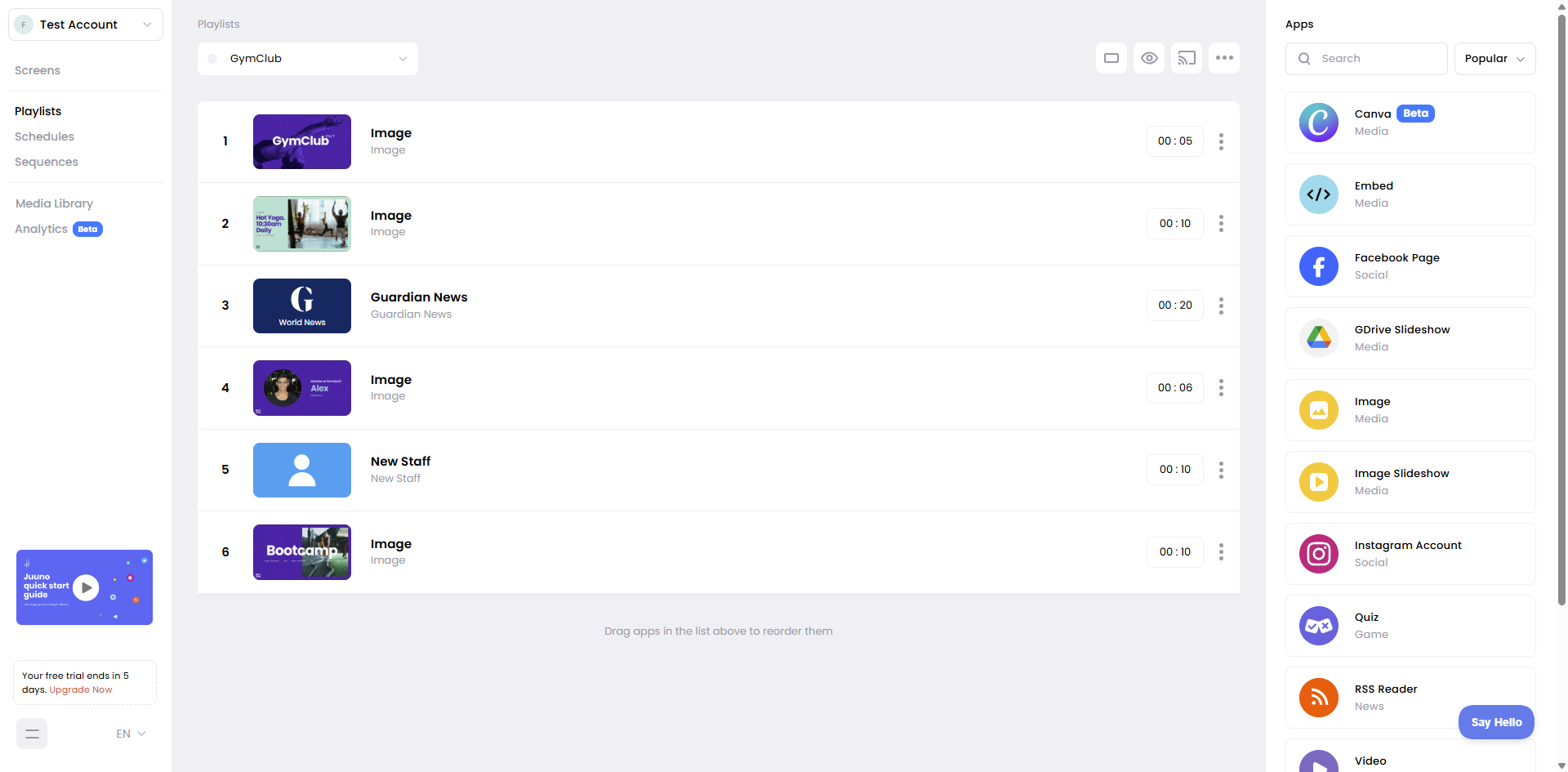
How playlists work
Add scenes to a playlist by choosing apps from Juuno's library—images, videos, social feeds, web embeds, and more. Drag scenes to reorder them, and set how long each one displays. When you cast a playlist to a screen, it loops continuously.
Use the preview icon to see how your playlist looks before casting it to a screen.
Workspace vs Global playlists
Playlists belong to either your current workspace or to Global. Switch between tabs at the top of the playlist page:
Workspace playlists — Specific to the current workspace. All workspace members can create and edit.
Global playlists — This tab automatically becomes available once your account has multiple workspaces. Content here is shared across all workspaces in your account. Only account admins can create or edit items. Useful for company branding or content that should appear across all workspaces.
Global playlists appear in all workspaces, but only admins can make changes.
Managing playlists
Create playlists from the Playlists page. Add scenes, set durations, reorder with drag-and-drop, then cast to your screens. You can cast the same playlist to multiple screens or use schedules to automate when it plays.