
News Apps
Juuno provides several News apps that display live headlines on your screens.
When you add and setup an app to a playlist, it appears as a scene.
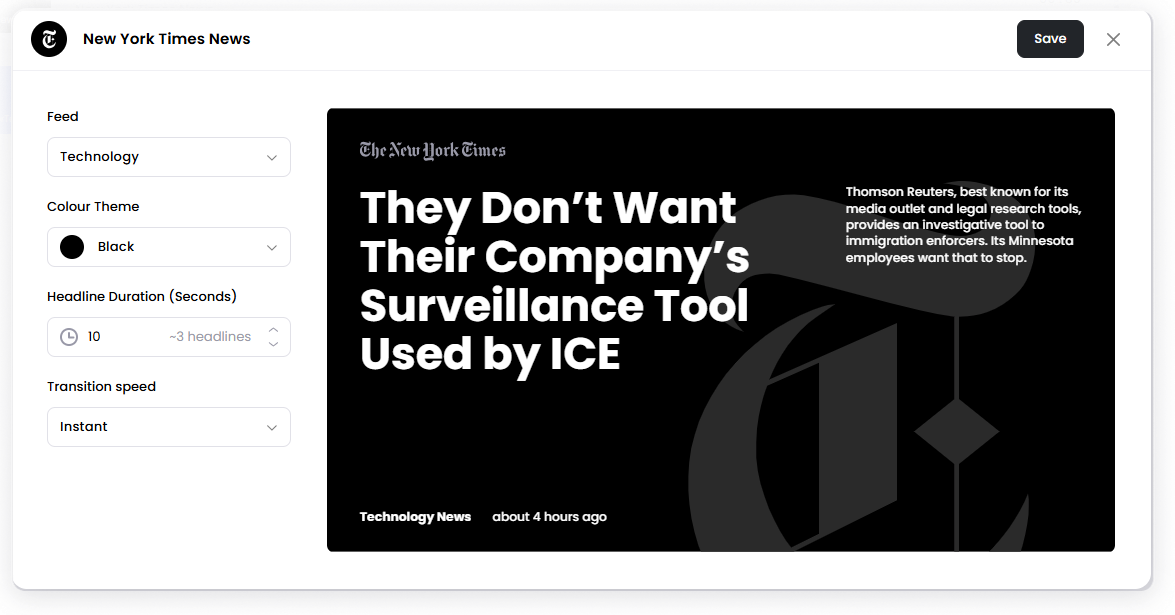
Available news apps include:
BBC News
CNN News
Guardian News
New York Times News
SMH News
TechCrunch News
Add a News App
Open the Playlist where you want to add a news scene.
In the right panel, find the news app you want to use (for example BBC News or CNN News).
Drag the app into the playlist.
Open the scene to configure the news settings.
Click Save.
Configuration Options
All news apps use the same configuration settings.
Feed Select the news category to display.
Example categories may include:
World News
Latest or Top News
Sports
Available categories depend on the news source.
Colour Theme Choose the display theme for the news layout.
Headline Duration (Seconds) Set how long each headline appears before switching to the next headline.
Transition Speed Control how quickly headlines transition between each other.
Set the Scene Duration
After saving the app, you can set how long the full News scene stays in the playlist.
In the Playlist, find the News scene.
Click the duration value (for example, 00:30) to set how long the scene plays. 00:30 means the scene will play for 30 seconds.
Set the duration.
Notes
News headlines update automatically from the selected source.
The number of headlines shown depends on the available feed and duration of the scene.
You can adjust the scene duration in the playlist to control how long the news scene plays.