
Bible Verses App
The Bible Verses app displays rotating Bible verses on your screens.
When you add and setup an app to a playlist, it appears as a scene.
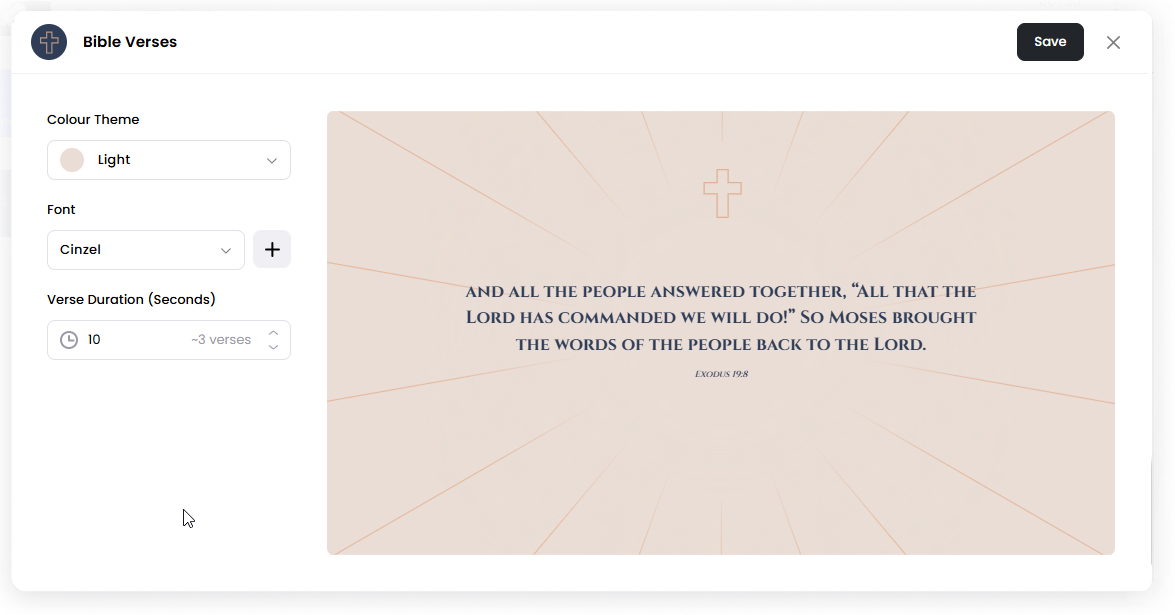
Bible verses app automatically cycles through verses.
Add the Bible Verses App
Open the Playlist where you want to add the Bible verses.
In the right panel, drag Bible Verses into the playlist.
Open the scene to configure it.
Choose your preferred settings.
Click Save.
Configuration Options
Colour Theme: Choose a preset theme or select Custom to customize the appearance.
Font: Choose the font used for the verse text.
Verse Duration (Seconds): Set how long each verse appears before switching to the next verse.
Options when Custom theme is selected:
Background Image: Upload an image to display behind the verse.
Background Colour: Choose the background color used behind the verse text.
Text Colour: Select the color of the verse text.
Set the Scene Duration
After saving the app, you can adjust how long the Bible Verses scene stays in the playlist.
In the Playlist, find the Bible Verses scene.
Click the duration value (for example, 00:30) to set how long the scene plays.
00:30means the scene will play for 30 seconds.
Notes
Verses rotate automatically.
Verse Duration controls how long each verse is displayed.
Scene Duration controls how long the Bible Verses scene plays in the playlist.